New RCA tool · Excel-based
Excel Fault Tree Generator for Root Cause Analysis
Turn structured RCA investigation data into a visual fault tree diagram automatically using Excel.
- Built in Excel
- Uses node-number hierarchy
- Supports multiple levels
- Color-codes contributor status
- Designed for RCA, CAPA, SCAR, NCR, and audit investigations
What it does
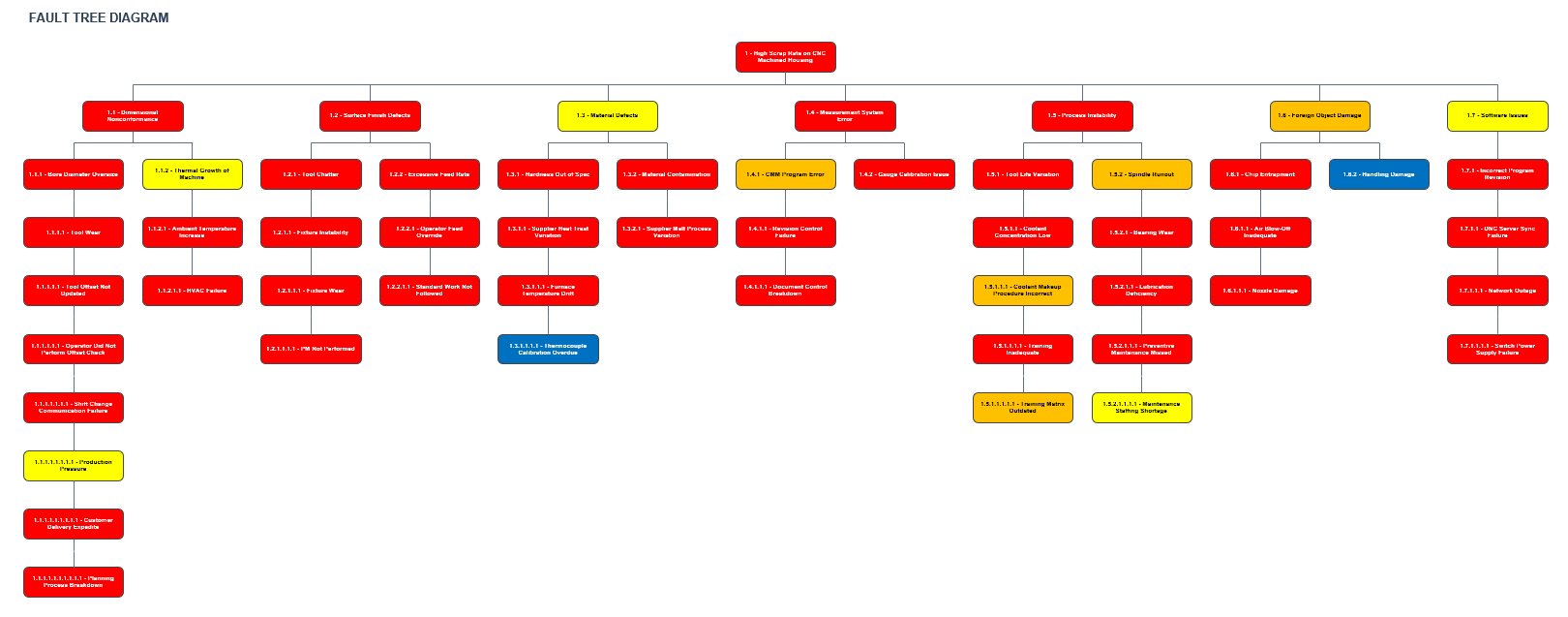
The Excel Fault Tree Generator lets you enter your fault tree investigation in a structured table. Each row is one node in the tree. Once the data is entered, a built-in macro reads the rows and draws the fault tree diagram on a separate worksheet.
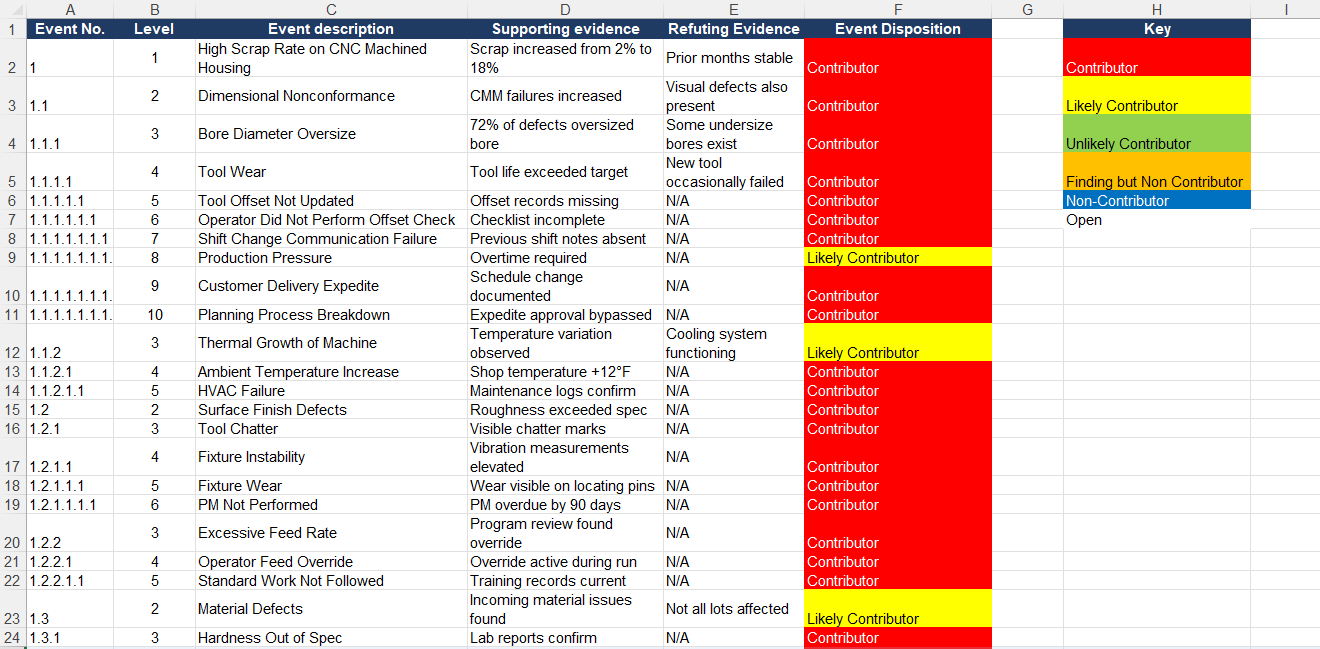
Example Fault Tree Output
Example output from the generator: a high scrap rate investigation on a CNC machined housing, with branches color coded by node disposition (contributor, likely contributor, non-contributor, finding but not contributor, open).
Download the Excel Fault Tree Generator
Use this tool to build structured fault trees for RCA, CAPA, SCAR, NCR, supplier quality, and audit investigations.
Frequently asked questions
What is a fault tree generator?
A fault tree generator is a tool that turns structured investigation data — events, contributors, and evidence — into a visual fault tree diagram. It speeds up root cause analysis by automating the drawing of the tree so the investigator can focus on the logic and evidence.
Can this be used for root cause analysis?
Yes. The tool is purpose-built for root cause analysis. It supports the standard fault tree analysis (FTA) approach used during RCA, CAPA, SCAR, NCR, and audit-finding investigations.
Does the tool require Excel macros?
Yes. The fault tree is generated by a VBA macro embedded in the .xlsm workbook. You need to open the file in desktop Excel and click 'Enable Content' to allow the macro to run.
Can the fault tree support more than four levels?
Yes. The tool uses a numeric node hierarchy (1, 1.1, 1.1.1, 1.1.1.1, and so on) so depth is effectively unlimited. Use as many levels as your investigation needs.
What types of investigations can this be used for?
Use it for manufacturing defect investigations, poor surface finish investigations, supplier corrective actions, audit findings, equipment failure analysis, and CAPA root cause investigations across ISO 9001, IATF 16949, AS9100, and ISO 13485 quality systems.